1
The sensor binds to your system
Each motion sensor connects over Bluetooth and shows up in the TruLight app as part of your system, the same way your lights do.
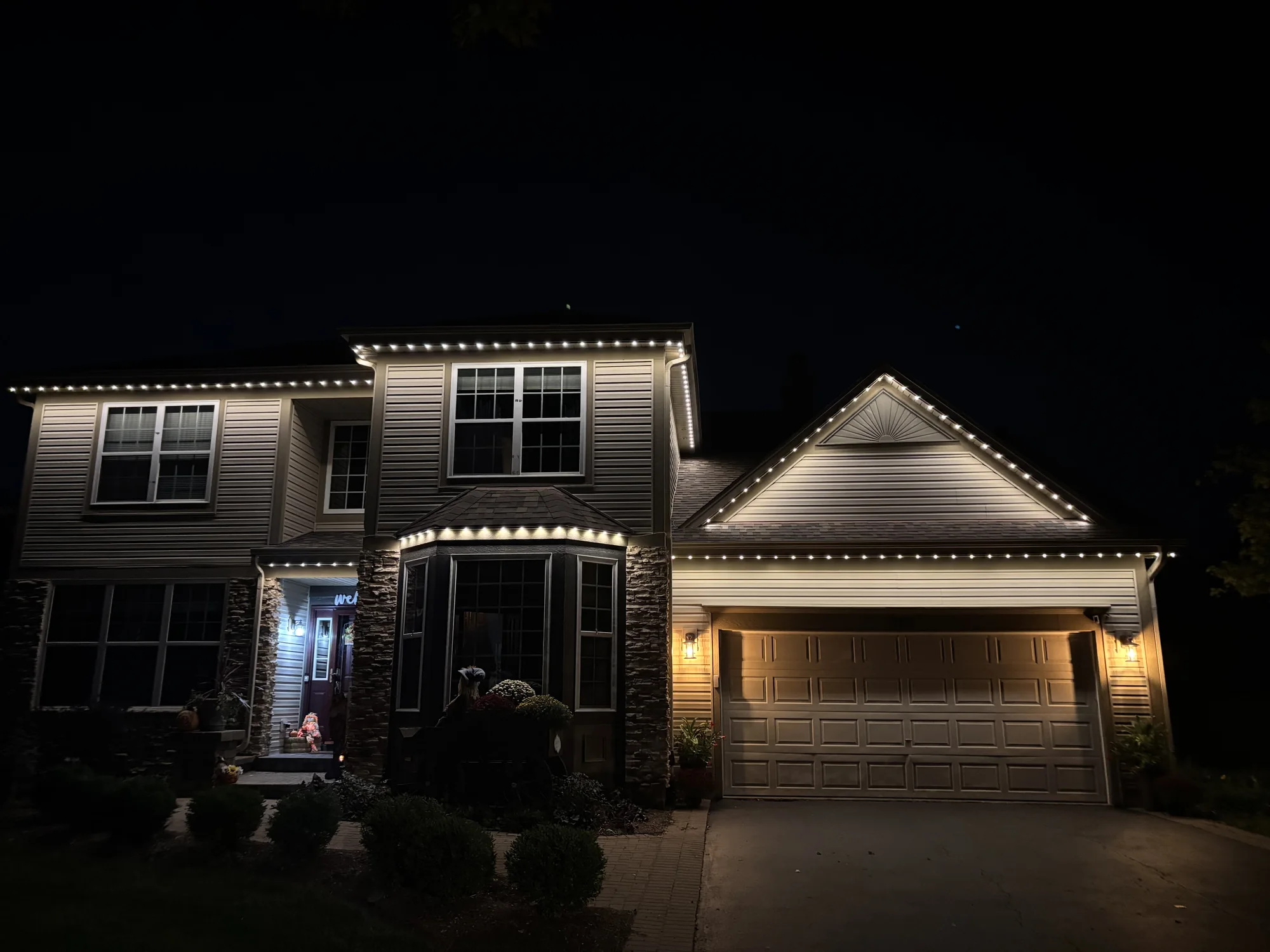
A motion sensor that lives in your roofline track turns the lights you already own into security lighting. One zone comes on when someone walks up, then turns itself back off, without a floodlight bolted to the corner of the house.
New product, October 2026
Bowdrie from TruLight walks through the new motion sensor in about twelve minutes: what it is, how it ties into the app, how dealers install it, and how he uses the two on his own house.
The sensor is not a light. It is a small Bluetooth device that tells your existing system when to turn one zone on. Setup is a zone and a schedule in the app.
Each motion sensor connects over Bluetooth and shows up in the TruLight app as part of your system, the same way your lights do.
Pick the group of lights the sensor should control. A front walkway, a dog run, or the side of the house where the garbage cans are. The rest of the house keeps whatever scene is already on.
The vitality period is the window when the sensor is active, for example from 10 pm to 4 am. Outside that window the system ignores motion.
When the sensor catches motion inside its window, the zone switches to the security setting you chose, usually bright white. About two minutes after the motion stops, the zone goes back to the previous pattern, or turns off if the house was off.
Already have sensors installed? The motion sensor setup tutorial covers binding, naming, zones, and the vitality period step by step.
Most security floodlights are 200-watt LED panels bolted to the corner of your house. They are loud during the day and brutal at night. Half the HOAs in the country have rules against them. The other half have rules they enforce when neighbors complain.
TruLight security lighting uses the same lights you already have for accent and holiday color. During the day, the system is invisible. At night, the lights can sit on a soft warm white or on whatever scene you have scheduled. When a sensor catches motion, only the assigned zone switches to bright white. After the motion stops, that zone goes back to where it was.
Because the sensor is installed into the permanent system, the install reads as security lighting, not holiday lights. Bowdrie says that distinction gets TruLight through HOA reviews far more often.
Bowdrie's own examples from the announcement, plus one from his customers. He has two sensors on his house.
Bowdrie keeps a sensor in the track by his garage. When a delivery driver walks to the front door after dark, the front walkway zone, about 25 lights along the front walkway plus the landscape lights, comes on so they can see where they are going.
The same front sensor covers his dog run. When he lets his two dogs out in the middle of the night, only that zone comes on. He can see the dogs, and the rest of the house stays dark.
Some customers put a sensor on the side of the house where the garbage cans live. Walking out with the cans turns that section on, so nobody has to dig out a phone first.
During a movie night, Bowdrie's system lit just the small area where the kids went for popcorn and drinks, then turned that section off a few minutes after they headed back to the movie.
The most common install. Your dealer drills a hole between two lights with a step bit and seats the sensor in the track. From the ground, all you see is a small glass dome between two lights.
The sensor mounts next to the track on its own short piece of track. It is low profile, and a second piece of track can cover it if you want the cleanest look. Bowdrie has his on the side of the track and says it does not look bad at all.
Your dealer will recommend one based on where the sensor needs to look and how high it sits.
The usual answer to motion lighting is a floodlight bolted to the house, or a post with a sensor on it. Either one means running wire and power to a new fixture. In the video, Bowdrie puts the electrician labor for that at $350 to $650 before the cost of the fixture, a figure he hears from the electricians among TruLight's dealers.
A TruLight sensor sits in or beside the track you already have and lives in the same app as the rest of your lights. It is additional hardware and your dealer prices it. Bowdrie says it is cheaper than installing a floodlight. Ask your dealer for the number for your home.
The lights themselves are rated for 100,000 hours, so the system will be on the house for years. Sensors are one of the add-ons you can bring to it after the first install.
Motion sensors bind to any existing TruLight system. Your dealer installs the sensor, you set the zone and the vitality period in the app, and the lights you already paid for become security lighting that night.
No. The sensor only detects motion. It sits in or beside the track and tells the system when to turn a zone on. The lights you already have do the lighting.
The sensor is additional hardware and is priced by your dealer, and placement affects the install. Bowdrie's comparison in the video: an electrician can charge $350 to $650 to wire and mount a separate motion floodlight before the cost of the fixture itself, and he expects a TruLight sensor install to come in under that. Ask your dealer for a quote for your home.
Yes. Sensors bind to any existing TruLight system. Contact the dealer who installed your lights. If you cannot reach them, request a quote here and we will connect you with the closest dealer.
About two minutes after the sensor stops seeing motion, the zone returns to whatever was on before, or turns off if the house was off. Your holiday or accent scene picks back up where it left off.
The TruLight system already works with Alexa, Siri, and Google.
Not yet. Adjustable sensitivity and a motion log are planned app updates. The features available today are the zone assignment, the security light setting, and the vitality period.
The setup tutorial covers the reboot that opens the binding window, naming each sensor, assigning its zone, and choosing the vitality period. It takes 10 to 15 minutes and you can test it the same evening.
Reboot, bind, name, zone, vitality period, and a same-evening test.
Where to place sensors, how coverage differs from lighting coverage, and how to cut unwanted triggers.
Side-by-side comparisons with Trimlight, JellyFish, Gemstone, and generic kits.
Request a quote and we will route it to the closest TruLight dealer, whether you are planning a new install or adding sensors to a system you already have.
Get Quote